Work/01 of 03
ApplyTracker
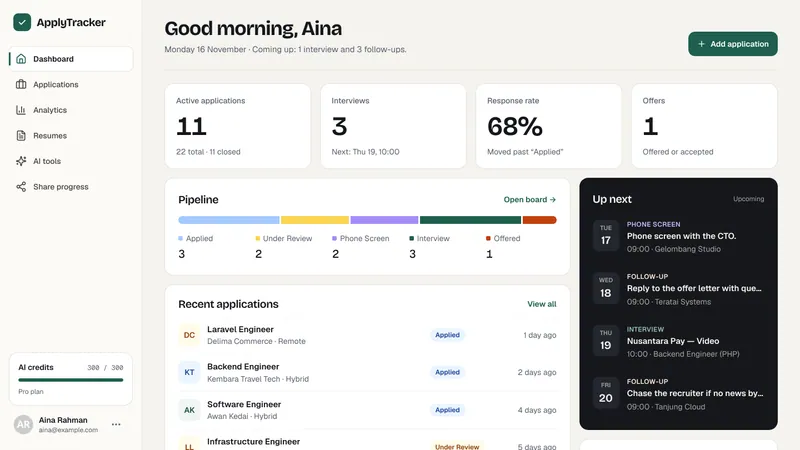
- kind
- SaaS web app
- year
- 2024–2026
- role
- Product, development and operations
- stack
- Laravel
- Vue
- Claude API
- Inertia
- Stripe
- MySQL
- Docker
- AWS EC2
- Playwright
- links
A job search kept in one place: every application, interview and follow-up, with AI help where it saves real time.
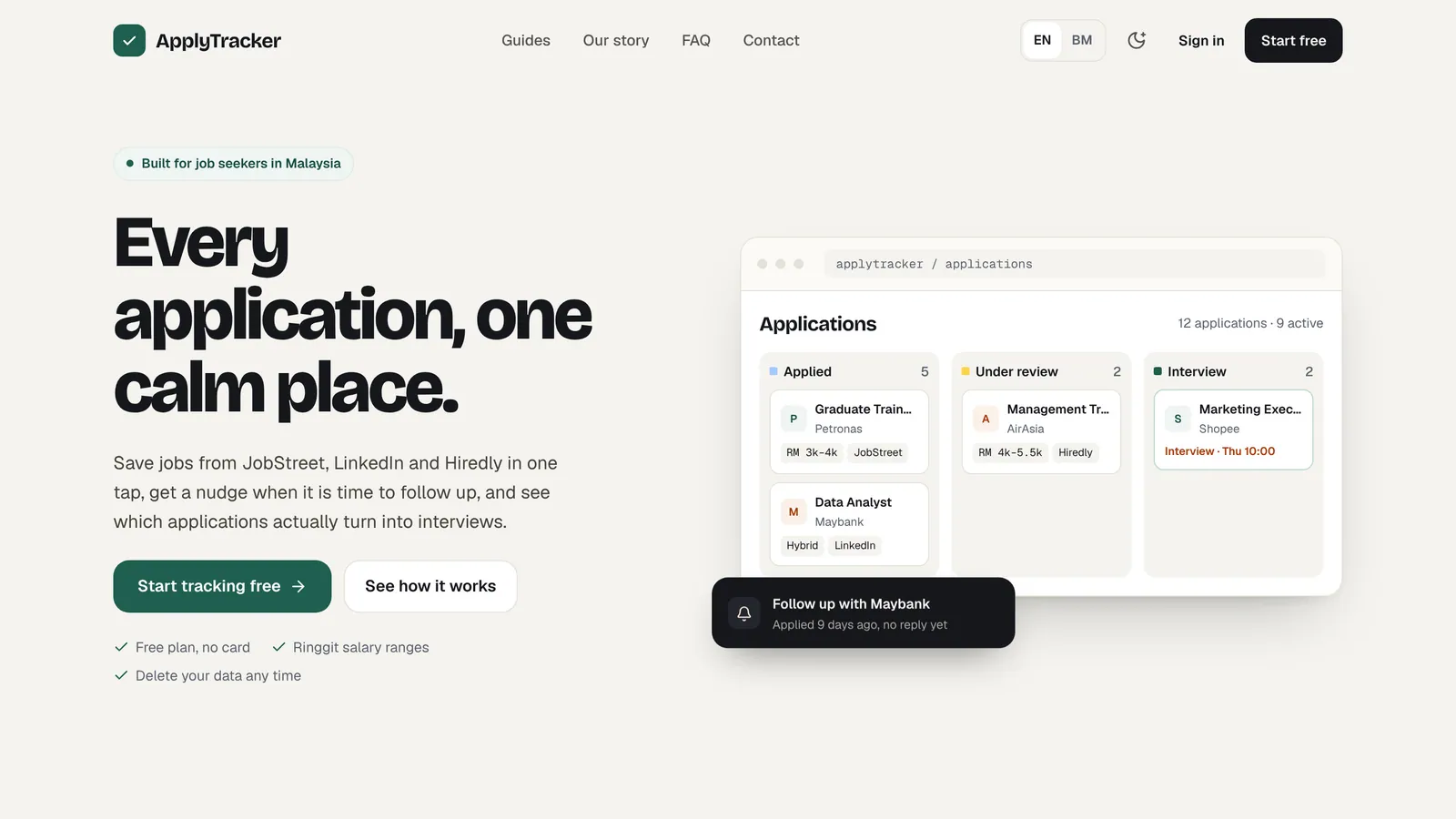
Paste a job ad's link and the form fills itself in. Each application moves through its stages with interviews and follow-ups on record, and the analytics page shows how often companies reply and how long they take. A resume builder, twelve AI writing tools and shareable progress cards sit alongside. The site works in English and Malay, with Google or LinkedIn sign-in and free and Pro plans billed through Stripe.
It is built with Laravel 11, Inertia and Vue 3 and runs in Docker on AWS EC2. Every push runs linting, the test suite and Playwright end-to-end tests, and it only deploys once the tests pass.
- 01
Save a job from its link
No AI involved: the reader looks for the page's JSON-LD JobPosting data, then site-specific markup, then the page title. It suggests the title, company, location, working mode and salary, converted to a monthly figure.
- 02
Fetching a stranger's URL safely
The link comes from the user, so every redirect is followed by hand and each hop is checked against private, reserved and metadata addresses. Responses are capped at 2 MB with short timeouts, and bot-challenge pages are recognised instead of being read as a job.
- 03
Analytics from your own records
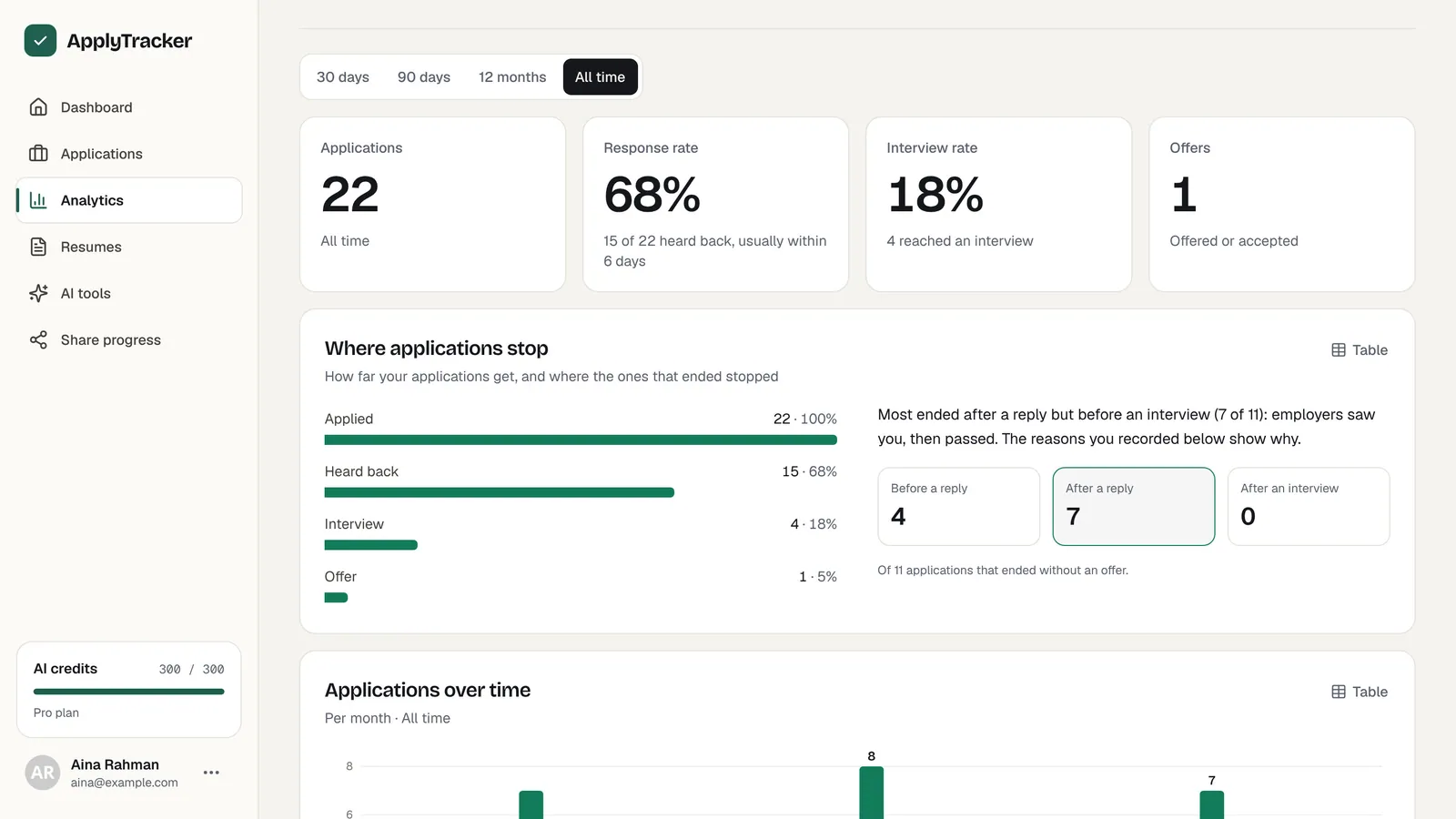
Reply rate, interviews and how long companies take to answer are worked out from the status history in the activity log, so nothing has to be entered twice.
- 04
AI with a budget
Twelve tools, from cover letters to interview questions and salary benchmarks, answered by Claude with the model set in the admin. Prompts are built on the server from the tool and its inputs, each answer spends credits from a monthly allowance per plan, one runs at a time per person, and a refused or empty answer costs nothing.
- 05
Shareable progress
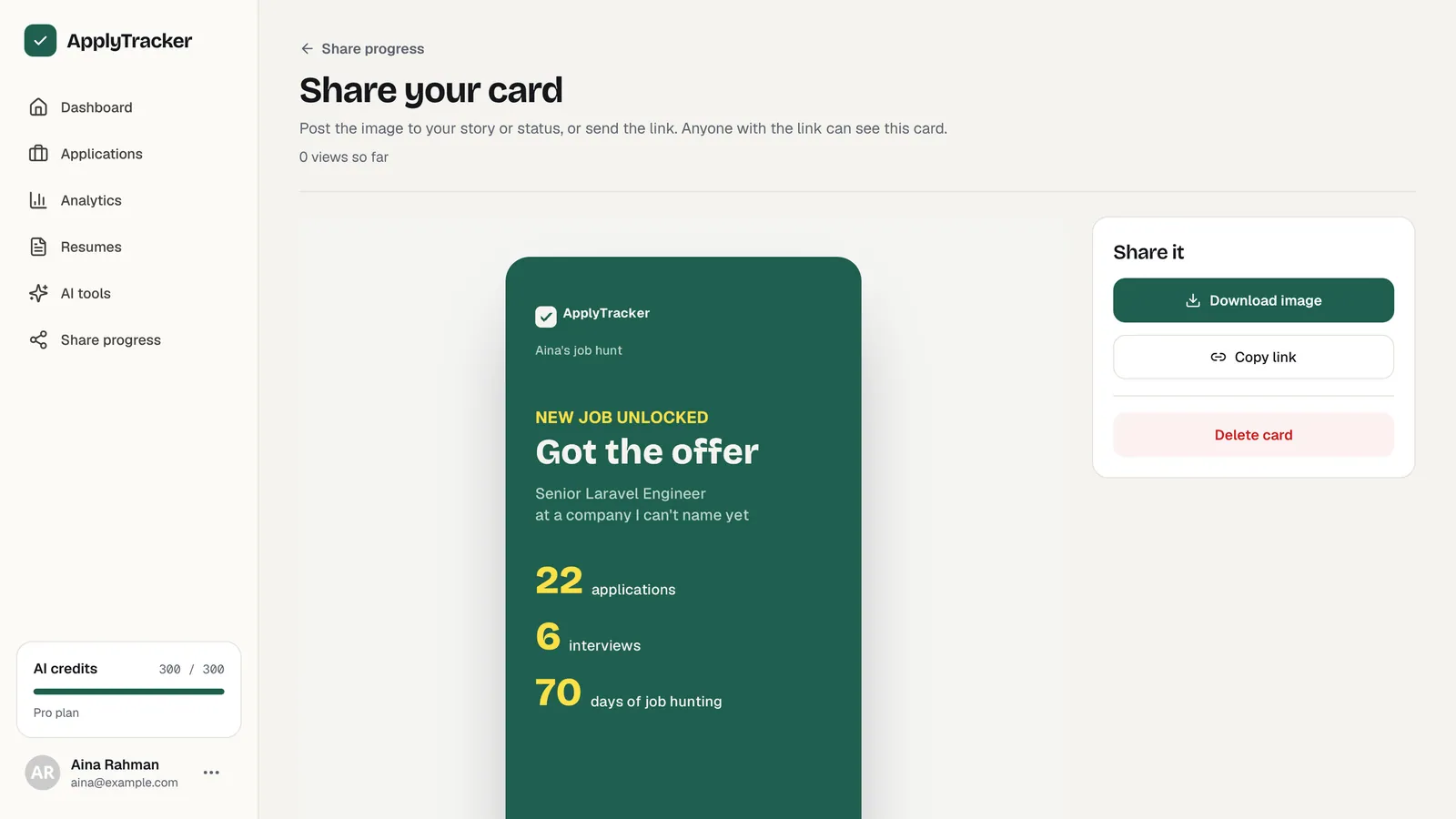
An application's journey, from applied to accepted, can be shared as a link or as story-sized and link-preview PNG cards drawn on the server.
- 06
Billing that does not wait for webhooks
Stripe subscriptions sync straight from the Checkout session on the success page, so Pro starts at once. Cancelling keeps Pro until the paid period ends.
- 07
Erase means erase
Deleting an account removes everything the person added, including files, AI history and their activity log entries, and cancels any running subscription first.
Screens
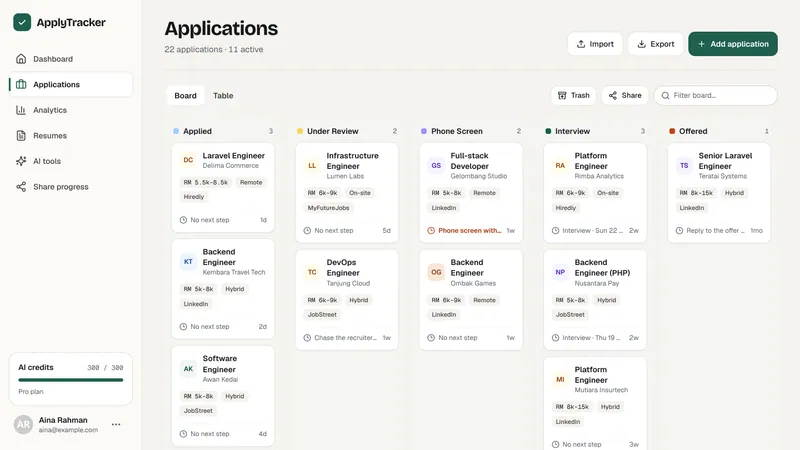
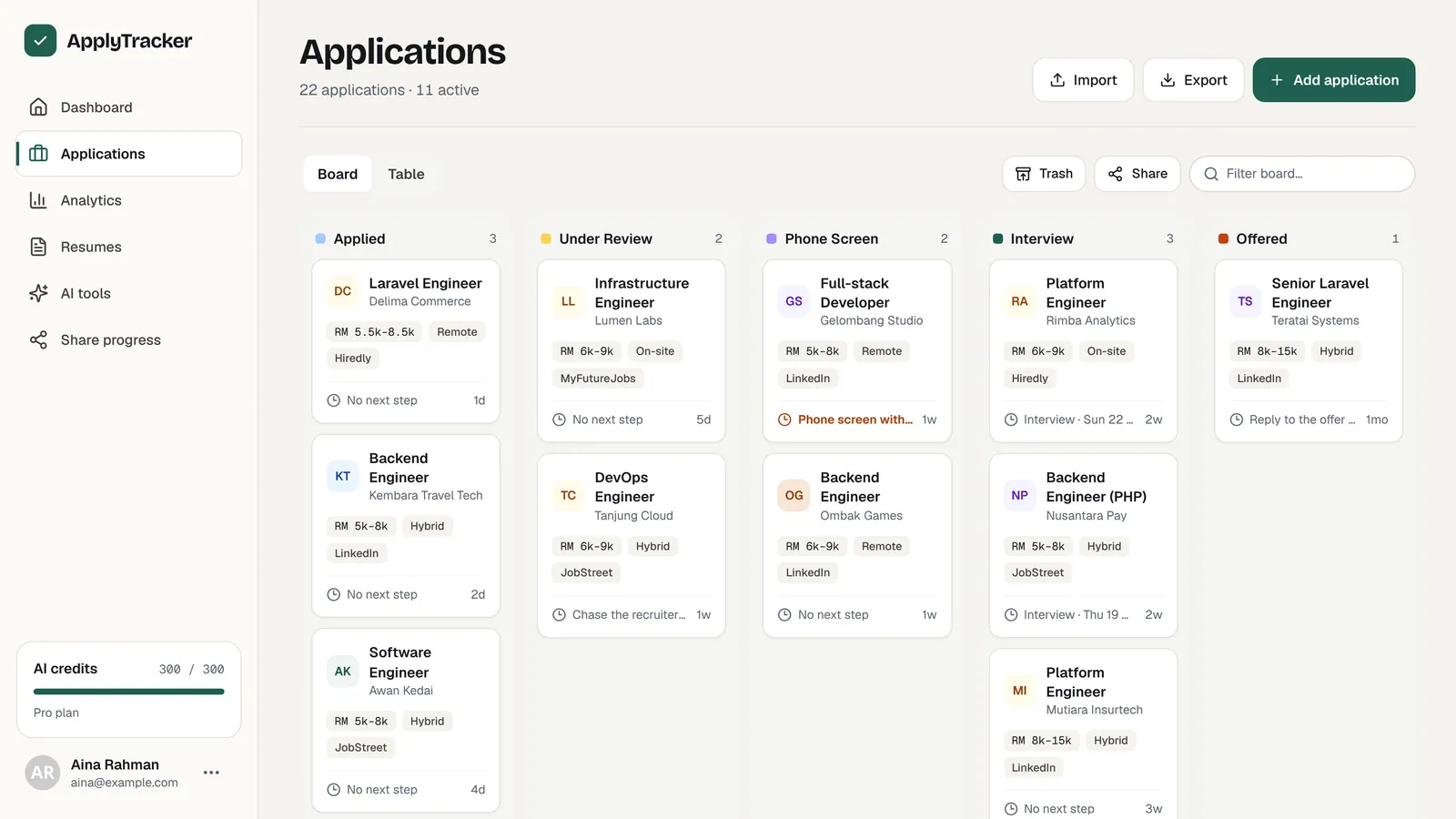
Applications as a board, one column per status. 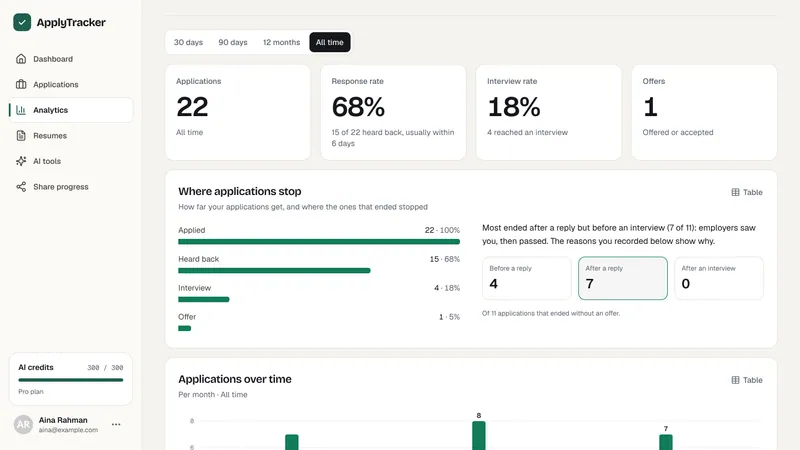
Analytics: where applications stop, from the status history. 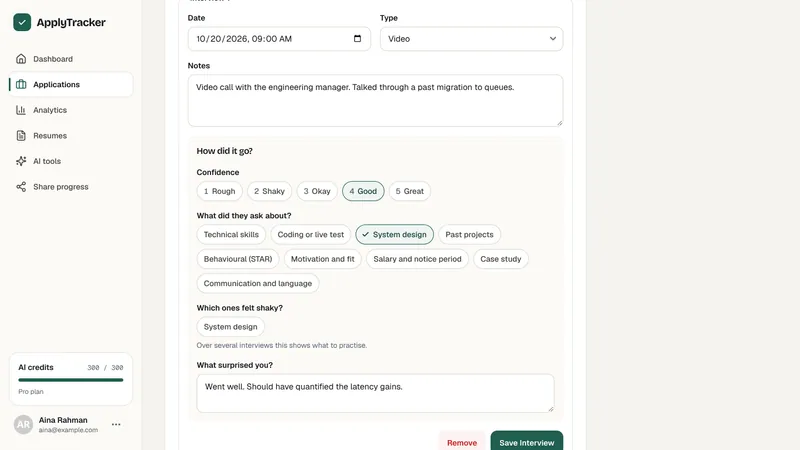
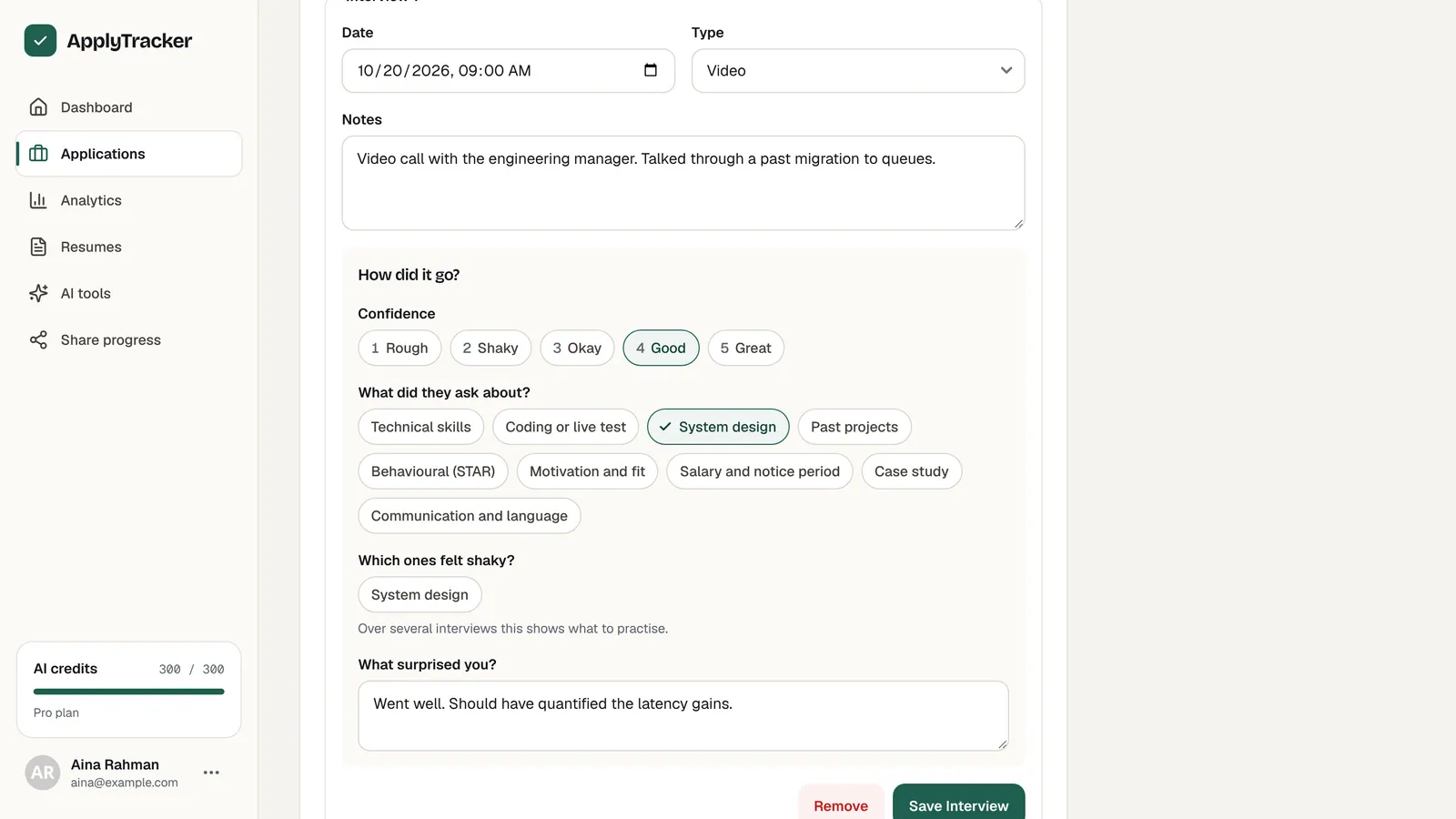
After each interview: confidence, topics and what to practise. 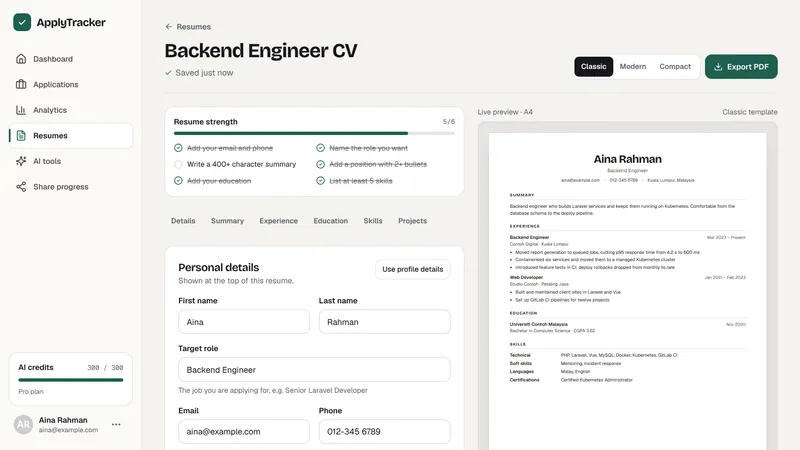
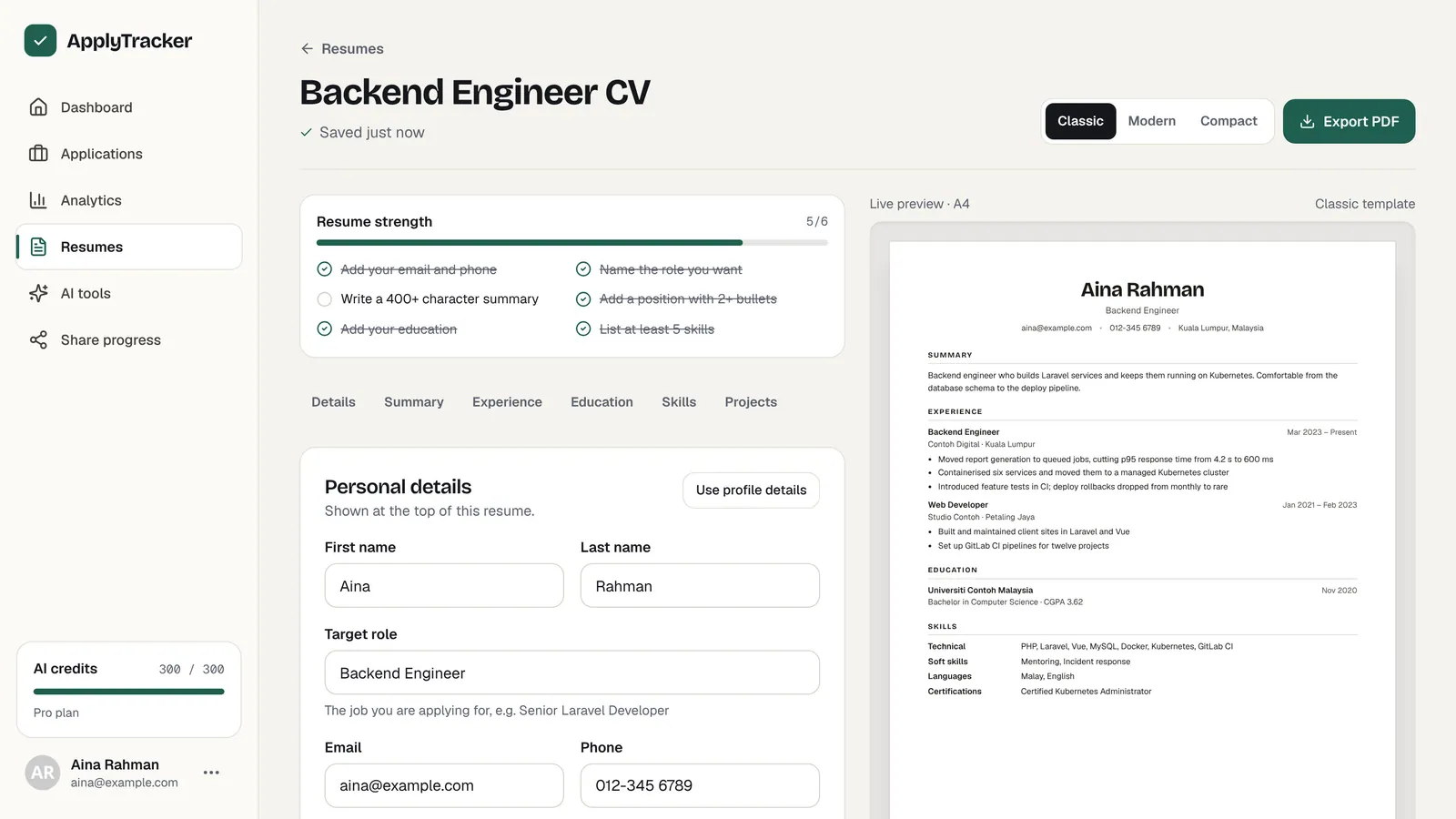
The resume builder, with a strength checklist and a live A4 preview. 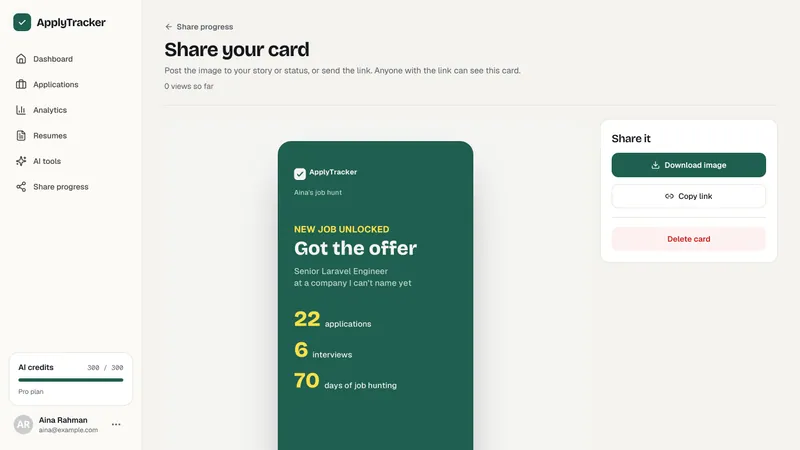
A milestone card, drawn on the server. The company name is hidden by default. 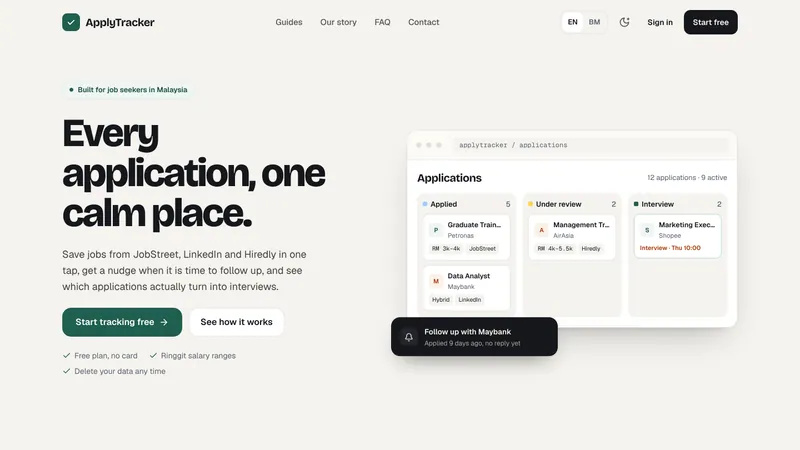
The public site, in English and Malay.
Next project
Ringmaster